 The Run List
A playlist that fits your run — freshly built and tailored in seconds, saved to Spotify.
Pick your distance and pace. The Run List fills a playlist from your own Spotify library to match your run time — optionally matched to your running cadence. You keep and order the songs you want, and it saves straight back to Spotify.
Free · no ads · no accounts · needs Spotify Premium and a ~2-minute one-time setup
If you're anything like me, you like to vary your running music but can't be bothered to build a new playlist every time — so you end up hitting shuffle on some random playlist. And there's nothing worse than a song you don't want coming on mid-run, skipping through tracks while panting for breath. So I built The Run List: it quickly builds a random playlist from songs you do want, fills exactly the time you'll be running, and saves it to your Spotify — so you're ready to go.
— Nick, the runner who made this
How it works
Three steps between you and a playlist that ends when your run does.
Set your run
Distance and pace, or just a target time. Optionally filter tracks by BPM so the beat matches your steps.

Curate
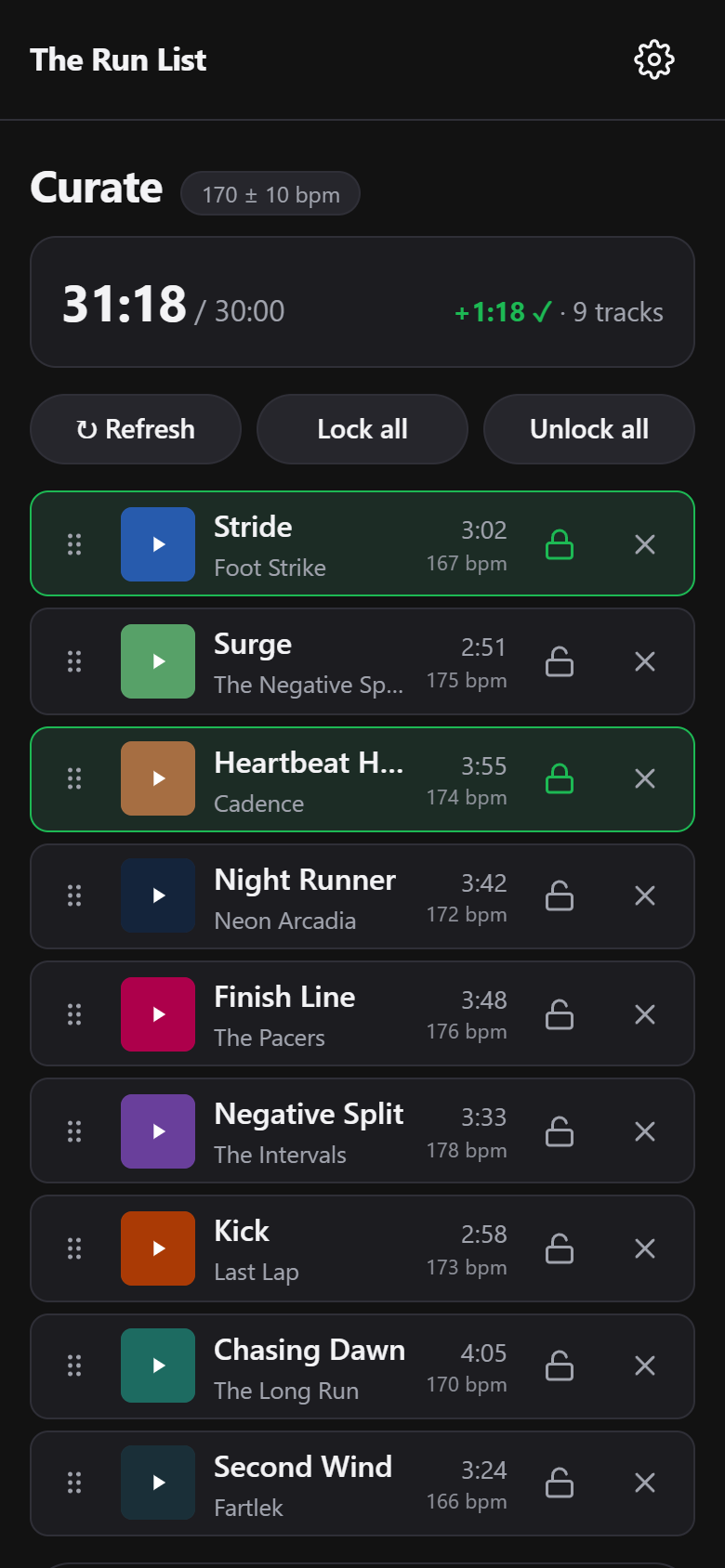
A track list appears that fills your run time, never landing short. Lock the keepers, refresh the rest, drag to reorder, add specific songs.

Save & run
One tap saves it to your Spotify, named after that run's distance and date — a 5 km on 12 July 2026 becomes therunlist_5km_20260712. Open it in Spotify and go.

What you need
- A Spotify Premium account (a Spotify rule, not ours — see the FAQ)
- ~2 minutes of one-time setup: you create your own free Spotify app registration and paste one ID — the guide walks you through every click
- A modern phone or browser — installs straight from the browser (no app store)
Keep it running
The Run List is free and stays free — no ads, no premium tier. If it's made your runs better, you can buy me a coffee. Donations support development and the domain; they don't unlock anything, because everything is already unlocked.
☕ Buy me a coffeeFAQ
What does it cost?
Nothing. The Run List is free, with no ads and no accounts. If you feel inclined, there's a tip jar — entirely optional.
Why do I need Spotify Premium?
Spotify requires the owner of an app registration to hold a Premium account, and with The Run List you are the owner of your own registration. Free-tier accounts can complete every step and still fail to connect — that's Spotify's rule, and the app can't work around it.
Why do I have to create my own “Spotify app”? What even is that?
Spotify limits any shared app registration to 5 users, so one central registration can't serve everyone. Instead, each runner creates their own — it's free, takes about two minutes, and is arguably better for you: your Spotify connection is private between you and Spotify, with no middleman server. You always log in on Spotify's own site; The Run List never sees your password.
Is my data collected?
Almost nothing. There's no server — the app runs in your browser and talks only to Spotify (and a free music-tempo service for BPM data). Your Spotify tokens, settings, and playlists never leave your device. The one thing collected is privacy-friendly, cookieless analytics (via GoatCounter) that count anonymous usage — how many people open, install, and connect — never who you are or what you listen to. No cookies, no accounts, no cross-site tracking. Full detail on the privacy page.
Why can't I use some of my playlists?
Spotify only shares the contents of playlists you own or collaborate on. Playlists you merely follow (including Spotify's editorial ones) show up greyed-out with a lock — the app literally cannot read their tracks. Tip: you can copy songs from a followed playlist into one of your own, and use that.
Where does the BPM data come from?
From ReccoBeats, a free music-analysis service (Spotify retired its own tempo data for new apps). Most tracks have BPM; a few don't — you choose whether unknown-BPM tracks are included when filtering.
Does it work on iPhone / Android?
Both. It's a web app you install from the browser — Share → Add to Home Screen on iOS Safari, or the install prompt in Chrome on Android. Desktop browsers work too. See the setup guide.
Is this affiliated with Spotify?
No. The Run List is an independent hobby project and is not affiliated with, endorsed by, or supported by Spotify. Spotify is a trademark of Spotify AB.